What is Rork?
Rork is an AI-powered mobile app builder that creates native iOS and Android apps using React Native (Expo). Unlike web-focused tools like Bolt or Lovable, Rork specializes exclusively in mobile apps. Simply describe your app idea in plain English, and Rork generates working code you can deploy to app stores. It's free to start, with paid plans starting at $25/month. NEW: Rork also offers Rork Max, which builds native Swift apps for all Apple platforms. Learn more about Rork Max.
(This post was sponsored by Rork. Try Rork here.)
Rork is an AI-powered coding tool designed specifically for building native mobile applications.
Unlike many other AI coding assistants like Bolt and Lovable, that focus primarily on web applications, Rork excels in creating apps that can be published directly to app stores.
This makes it an ideal choice for those looking to develop iOS and Android apps without extensive coding knowledge.
In this post, you're going to learn, step-by-step, how to use this platform to build your own native mobile app.
Watch the video to visually see how it's done and read below to get specific instructions.
Rork Pricing Plans (2026)
Rork uses a credit-based pricing system where each AI interaction consumes credits. Here's the breakdown:
| Plan | Price | Credits | Best For |
|---|---|---|---|
| Free | $0 | 35/mo (5/day limit) | Testing |
| Junior | $25/mo | 100 | Solo founders |
| Middle | $50/mo | 250 | Small startups |
| Senior | $100/mo | 500 | Teams |
| Scale 1K | $200/mo | 1,000 | Agencies |
For a detailed breakdown of which plan is right for you, check out our complete Rork pricing guide.
Building a MyFitnessPal Clone with Rork
To demonstrate the capabilities of Rork, let's walk through the process of creating a basic version of MyFitnessPal. This popular fitness tracking app serves as an excellent example of the type of complex, feature-rich application that Rork can help you build.
Step 1: Initial Setup and Prompting
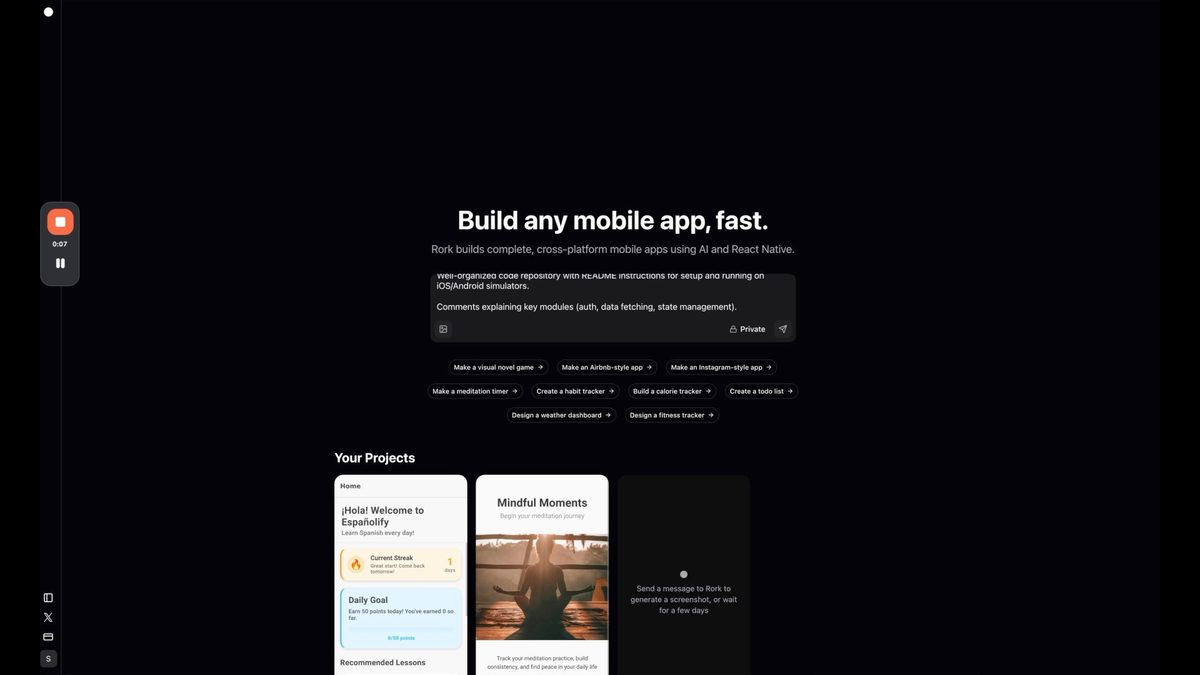
To get started with Rork, you'll need to provide a detailed prompt describing the app you want to build. It's helpful to use AI tools like ChatGPT to refine your prompt and ensure it includes all necessary details. Once you have your prompt ready, simply paste it into Rork's interface and let the AI work its magic.
Step 2: Implementing Core Features
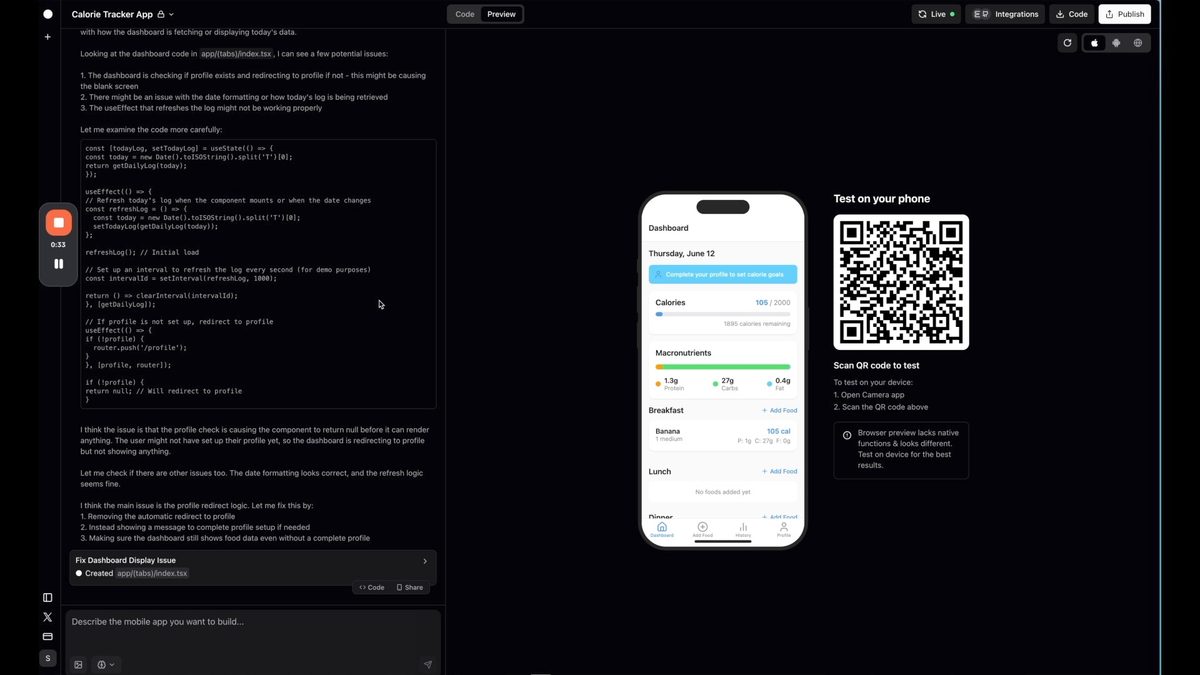
Rork quickly generates a basic version of the app, including essential features like:
- User authentication
- Profile creation
- Food tracking
- Calorie counting
These features form the foundation of our My Fitness Pal clone, providing users with the ability to log in, set up their profile, and start tracking their meals.
Step 3: Troubleshooting and Iterative Improvements
As with any development process, you may encounter some issues or areas for improvement. Rork makes it easy to address these by allowing you to provide feedback and request changes.
For example, if you notice that the dashboard isn't displaying correctly, you can simply describe the issue to Rork, and it will generate updated code to resolve the problem.
Step 4: Enhancing Design with AI
Once the basic functionality is in place, you can use Rork to improve the app's visual design. By requesting a more modern and impressive look, Rork can generate updated layouts and styling that enhance the user experience without sacrificing functionality.
All of this is done through the AI agent chat.
Advanced Features and Native App Development with AI
Rork's capabilities extend beyond basic app creation. Let's explore some more advanced features you can implement using this AI-powered tool.
Implementing Goal Setting Features
A key component of fitness apps like My Fitness Pal is goal setting. With Rork, you can easily add this functionality to your app. By prompting Rork to create a goal-setting feature, you can quickly implement:
- Custom and pre-made goals
- Progress tracking
- Visual indicators
- Achievement milestones
This advanced feature showcases Rork's ability to understand complex app requirements and generate sophisticated code to meet those needs.
Customization Options for Goals
Rork allows for extensive customization of the goal-setting feature. Users can create personalized goals with specific target values, timelines, and progress indicators. This level of detail demonstrates the flexibility and power of Rork in creating tailored app experiences.
Rork vs Bolt vs Lovable: Quick Comparison
Wondering how Rork stacks up against other popular AI app builders? Here's the key difference: Rork builds mobile apps, while Bolt and Lovable build web apps.
| Feature | Rork | Bolt | Lovable |
|---|---|---|---|
| Platform | Mobile apps | Web apps | Web apps |
| Output | iOS & Android (React Native) + Apple ecosystem (Swift via Rork Max) | Web (React, Vue, etc.) | Web (React + Supabase) |
| Deploy To | App Store, Google Play | Netlify, Vercel | Netlify (built-in) |
| Free Plan | Yes (35 credits/mo) | Yes (limited tokens) | Yes (limited credits) |
| Starting Price | $25/month | $20/month | $20/month |
For a detailed comparison, read our Rork vs Lovable comparison.
NEW: Rork Max — Native Swift Apps for Apple
In February 2026, Rork launched Rork Max — a completely new product that builds native Swift apps instead of React Native. While the original Rork focuses on cross-platform iOS and Android apps, Rork Max targets the entire Apple ecosystem with native performance.
Rork Max supports iPhone, iPad, Apple Watch, Apple TV, Vision Pro, and iMessage. It unlocks native Apple capabilities that React Native can't access — including AR/LiDAR scanning, 3D games with Metal graphics, Home Screen widgets, Dynamic Island, Live Activities, Siri Intents, HealthKit, HomeKit, NFC, App Clips, and Core ML on-device machine learning.
One of the most impressive features is 2-click App Store publishing. Rork Max uses a cloud Mac fleet for native compilation, so you never need to download Xcode or own a Mac. Build your app in the browser, preview it via a streaming simulator, install on your device via QR code, and submit to the App Store — all without leaving Rork.
Pricing: The free tier includes ~5 prompts per week on Rork Max. Full access requires the Max plan at $200/month, which includes unlimited native Swift builds and all platform capabilities. You'll still need an Apple Developer Program membership ($99/year) for App Store publishing.
Read our complete Rork Max review →
Taking Your Rork-Built App to the Next Level
Once you've created your basic app and implemented advanced features, it's time to prepare for launch. Rork provides several tools to help you take your app from development to deployment.
GitHub Integration for Code Management
Rork offers seamless integration with GitHub, allowing you to sync your code and manage version control effectively. This integration ensures that your code is safely stored and easily accessible for future updates or collaborations.
Backend Enablement for Data Storage and API Handling
To create a fully functional app that can handle user data and interact with external services, you'll need a robust backend.
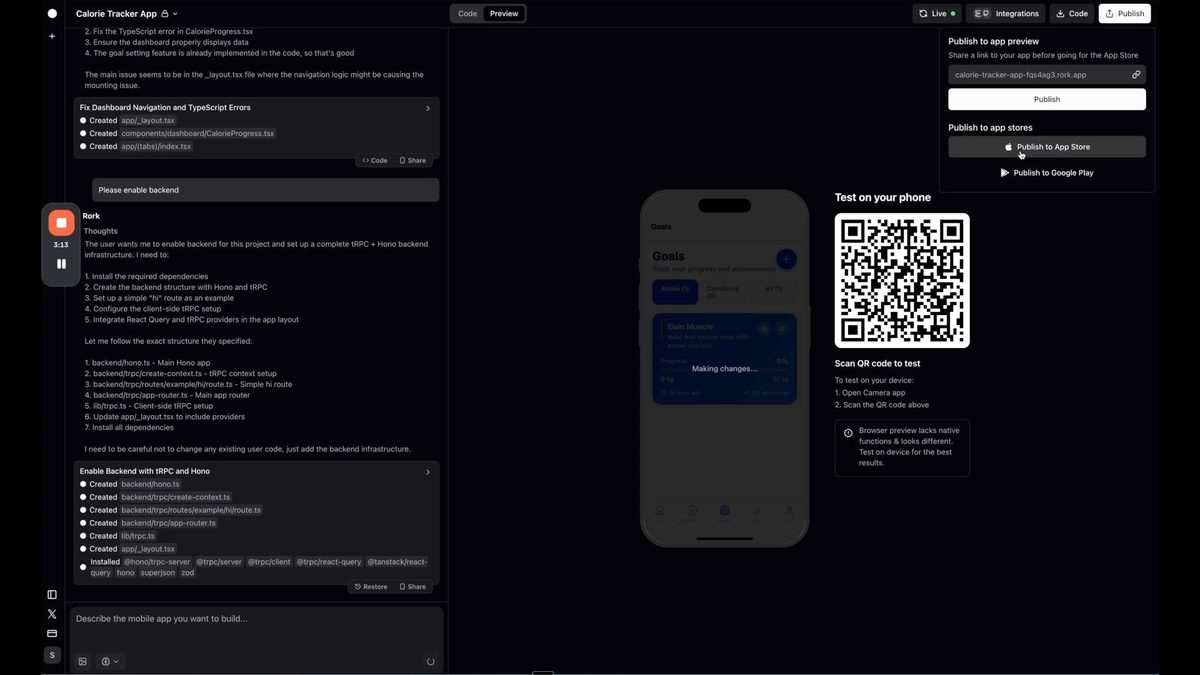
Rork simplifies this process by providing backend enablement features. This allows you to set up data storage, handle API keys, and manage user information securely.
Testing Procedures
Before launching your app, it's crucial to thoroughly test its functionality.
Rork facilitates testing by allowing you to preview your app in a browser or directly on your mobile device using a QR code. This hands-on testing ensures that your app works as intended across different platforms.
Publishing to App Store and Google Play Store
One of Rork's standout features is its ability to help you publish your app directly to app stores.
This streamlined process removes many of the technical barriers typically associated with app submission, making it easier for developers of all skill levels to get their creations into the hands of users.
Why Choose Rork for AI-Powered Mobile App Creation
Rork stands out in the crowded field of AI coding tools for several reasons:
- Specialization in native mobile app development
- Cross-platform compatibility (iOS, Android, and web)
- Intuitive interface that requires minimal coding knowledge
- Rapid prototyping and iteration capabilities
- Direct app store publishing support
These features make Rork an excellent choice for entrepreneurs, startups, and developers looking to quickly bring their app ideas to life.
The Future of MVP App Development with Rork
As AI technology continues to advance, tools like Rork are poised to revolutionize the app development process. By lowering the barriers to entry and speeding up the development cycle, Rork empowers a new generation of creators to bring their ideas to market.
Whether you're building a fitness app, a productivity tool, or the next big social platform, Rork provides the tools and capabilities to turn your vision into reality. As the platform evolves, we can expect even more powerful features and integrations that will further streamline the app creation process.
Ready to start building your own native apps using AI? Give Rork a try and see what you can create. With its intuitive interface and powerful AI capabilities, you might be surprised at how quickly you can bring your app idea to life.
Want to learn more? Check out our initial review of Rork here:
📱 Explore More Rork Resources
Want to go deeper with Rork? Check out these guides and tutorials:
- Rork Pricing Guide 2026 — Complete breakdown of plans and which one to choose
- Rork vs Lovable — Mobile vs web app builders compared
- Rork Tutorial: Build Native Apps — Step-by-step guide to your first app
- Build Mobile Apps with Rork — Tips and strategies
- Build a Duolingo Clone with Rork — Full tutorial
- 4 Best AI Mobile App Builders — How Rork compares
- Rork Max Review 2026 — Native Swift apps for all Apple platforms
Want to learn more about no-code tools and app development? Sign up for No Code MBA and gain access to comprehensive courses and resources that will help you build amazing apps without writing a single line of code. Join No Code MBA today!
Related Articles
Frequently Asked Questions
What types of apps can I build with Rork AI app builder?
Rork is versatile and can be used to build a wide range of native mobile applications for both iOS and Android platforms. From fitness trackers to social media apps, productivity tools to e-commerce platforms, Rork's AI-powered capabilities make it suitable for various app types.
Do I need coding experience to use Rork?
While coding experience can be helpful, it's not necessary to use Rork effectively. The platform is designed to be user-friendly and accessible to individuals with varying levels of technical expertise. Rork's AI capabilities allow you to describe your app idea in natural language, and it generates the necessary code for you.
How does Rork compare to other AI coding tools?
Rork stands out from many other AI coding tools due to its focus on native mobile app development. While many AI tools primarily target web application development, Rork specializes in creating apps that can be published directly to app stores. This makes it an excellent choice for those looking to develop iOS and Android apps specifically.
Can I customize the apps I build with Rork?
Yes, Rork offers extensive customization options. You can refine and modify your app's features, design, and functionality by providing additional prompts or making direct changes to the generated code. The iterative nature of Rork allows for continuous improvements and customizations throughout the development process.
How does publishing to app stores work with Rork?
Rork simplifies the app store publishing process by providing tools and guidance to help you prepare your app for submission. While you'll still need to meet the specific requirements of the App Store and Google Play Store, Rork's support can significantly streamline the process, making it more accessible for developers of all skill levels.
Is Rork free?
Yes, Rork has a free plan that gives you 35 credits per month (with a daily limit of 5 credits). This is enough to test the platform and build a simple prototype. Paid plans start at $25/month for 100 credits.
What's the difference between Rork and Lovable?
Rork builds native mobile apps for iOS and Android, while Lovable builds web applications. Use Rork if you want an app in the App Store or Google Play, use Lovable for web-based SaaS applications.
What is Rork Max?
Rork Max is Rork's premium product that builds native Swift apps instead of React Native. It supports iPhone, iPad, Apple Watch, Apple TV, Vision Pro, and iMessage, with 2-click App Store publishing. It costs $200/month.
Advertiser disclosure: some links on this website are affiliate links, meaning No Code MBA may make a commission if you click through and purchase.