
Choosing between Bolt and Lovable for your next AI-powered app? Both platforms let you build functional applications using natural language prompts, but they take different approaches.
After testing both extensively, here's our verdict on the Bolt vs Lovable comparison for 2026.
⚡ Quick Verdict: Bolt vs Lovable
Choose Bolt if: You need speed, want direct code editing, or are doing rapid prototyping
Choose Lovable if: You're a beginner, need Supabase integration, or want structured planning for complex apps
Bottom line: Bolt is faster, Lovable is more beginner-friendly. Both produce quality code.
📖 Want a deep dive on just Lovable? Read our comprehensive Lovable Review 2026 with pricing, pros/cons, and 6 months of hands-on testing.
Bolt vs Lovable: 2026 Comparison Table
What Makes Each Tool Different
AI-powered app development has changed the game for creators, enabling anyone to build apps using simple text prompts. These tools translate natural language into working code—making development faster, more accessible, and often, more fun.
Bolt's Strengths
- Diffs feature: Only updates changed code, making iterations 2-3x faster
- Direct code editing in the browser
- Better for developers who want control
- More polished UI designs out of the box
Lovable's Strengths
- Planning stage: Shows you the plan before generating code
- Superior Supabase integration for full-stack apps
- Better GitHub sync for code management
- More beginner-friendly interface
- Includes mock data in generated apps
For a complete breakdown of Lovable's features, pricing, and capabilities, see our full Lovable review.
Real-World Test: Building a Trello Clone
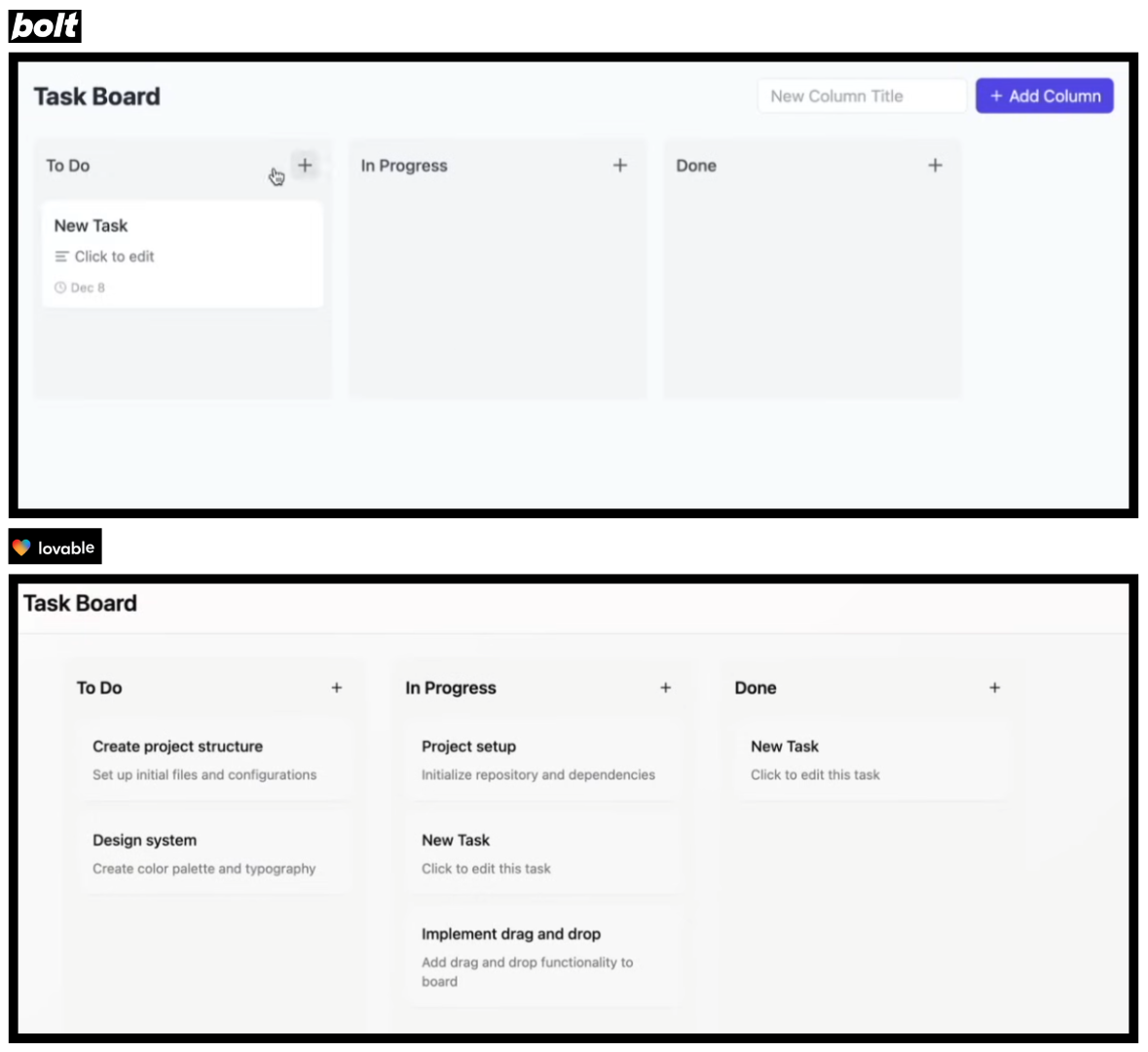
To test both tools fairly, we built a Trello-style task management app using the same step-by-step prompts. Here's how each platform performed:
Test 1: Initial Generation
Prompt: "Build a task app similar to Trello with drag-and-drop."
- Bolt: Faster initial generation, working in ~30 seconds
- Lovable: Slower (~60 seconds) but with a detailed plan first
Test 2: Design Quality
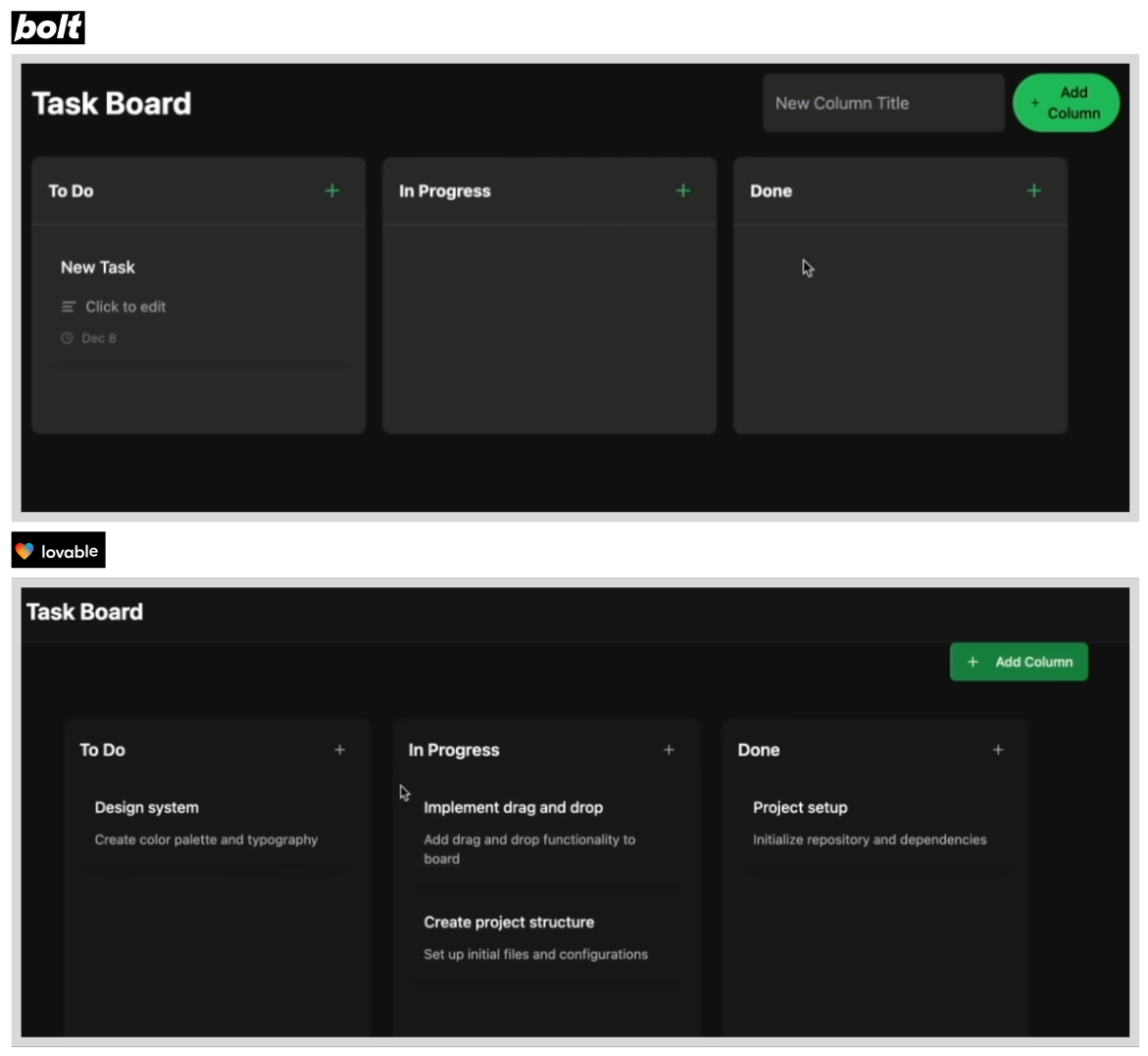
We asked both to apply a Spotify-inspired dark theme:
- Both handled the dark theme effectively
- Bolt's design felt more polished with better hover effects
- Lovable's design was clean but slightly more generic
Test 3: Advanced Features
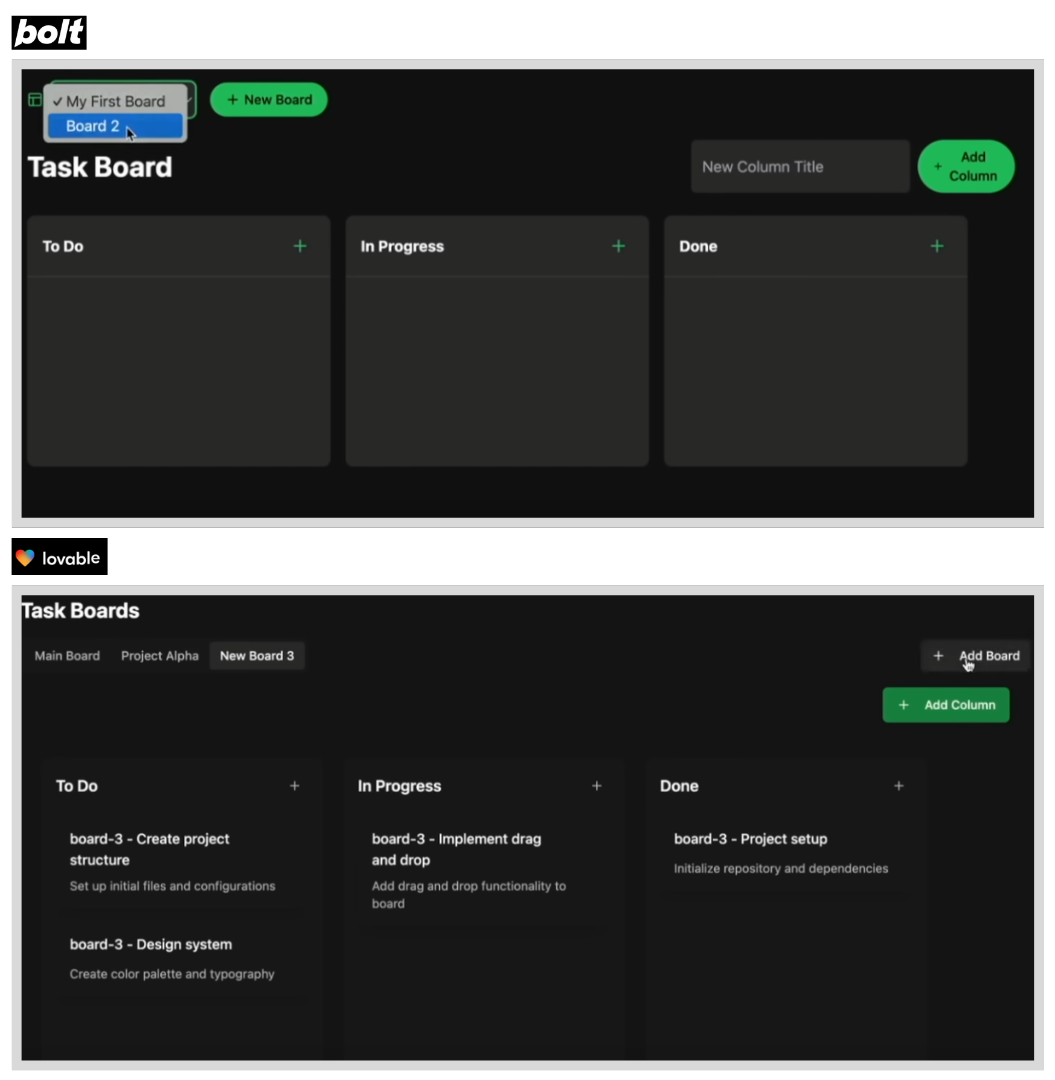
When adding boards, due dates, and comments:
- Bolt: Implemented features faster with fewer prompts
- Lovable: Occasionally needed clarification but produced cleaner code structure
Speed Comparison: Why Bolt is Faster
Bolt consistently outperformed Lovable in speed thanks to its "diffs" feature:
- Bolt's diffs: Only rewrites the code that changed, saving time and tokens
- Lovable's approach: Rewrites larger code sections for each change
For rapid prototyping sessions where you're making many small changes, Bolt's speed advantage compounds significantly.
When to Choose Bolt
- You're comfortable with code and want to edit directly
- Speed is your priority
- You're building quick prototypes or MVPs
- You want more control over the tech stack
When to Choose Lovable
- You're new to app development
- You need robust Supabase/database integration
- You prefer a structured, planned approach
- You want better GitHub workflow integration
Learn the basics with our How to Use Lovable tutorial.
Related Guides
- Lovable Review 2026 – Complete guide with pricing
- Lovable vs Base44 – Another popular comparison
- Lovable vs V0 – Design-focused comparison
- Bolt Alternatives – Other options to consider
- Best AI App Builders 2026 – Full roundup
Frequently Asked Questions
Which is better for beginners: Bolt or Lovable?
Lovable is generally better for beginners due to its structured planning stage and intuitive chat-based interface. Bolt is faster but assumes more technical familiarity. For complete beginners, Lovable's guided approach helps prevent common mistakes.
How do Bolt and Lovable pricing compare in 2026?
Both tools offer similar pricing around $20/month for paid plans. Bolt uses a token-based system (10M tokens/month) while Lovable uses message credits (100 messages/month). For heavy usage, Bolt typically offers better value. Both have free tiers for testing.
Can Bolt and Lovable build full-stack apps?
Yes, both can build full-stack applications with databases, authentication, and APIs. Lovable has superior Supabase integration built-in, while Bolt offers more flexibility in backend choices. For production apps, both require connecting to external databases.
Which is faster: Bolt or Lovable?
Bolt is consistently faster due to its 'diffs' feature that only updates changed code. Lovable rewrites larger code sections, making it slower but sometimes more thorough. For rapid prototyping, Bolt has a clear speed advantage.
Is Bolt or Lovable better for complex applications?
For complex apps, Lovable's planning stage and GitHub integration make it easier to maintain larger codebases. Bolt is better for quick iterations. Many developers use both: Lovable for initial structure, then export to continue in Bolt or Cursor for rapid changes.
Can I use Bolt or Lovable for commercial projects?
Yes, both tools can be used for commercial projects. You own the code you generate. Review their terms of service for specific licensing details, but there are no restrictions on commercial use of the generated applications. The future of AI coding tools looks promising. As these tools evolve, the gap between them may narrow. For now, try both free tiers to see which workflow suits you best. Watch us build more apps with AI here Want to master AI app building? Join No Code MBA for comprehensive courses on Lovable, Bolt, and other AI development tools.
Advertiser disclosure: some links on this website are affiliate links, meaning No Code MBA may make a commission if you click through and purchase.