Rork Max is Rork's newest product — and it's a completely different animal from the original. Instead of building cross-platform React Native apps, Rork Max generates native Swift apps for every Apple platform: iPhone, iPad, Apple Watch, Apple TV, Vision Pro, and even iMessage. It launched in February 2026 and hit $1.5M ARR in just 3 days.
(This post was sponsored by Rork. Try Rork Max here.)
I've been testing Rork Max since launch, and in this review I'll break down exactly what it does, how it compares to the original Rork, what it costs, and whether it's worth the $200/month price tag.
🎯 What is Rork Max?
Rork Max is a native Swift app builder powered by Claude Code + Opus 4.6. It builds apps for iPhone, iPad, Apple Watch, Apple TV, Vision Pro, and iMessage — all compiled on a cloud Mac fleet.
- Framework: Native Swift (not React Native)
- Publishing: 2-click App Store submit, no Xcode needed
- Preview: Streaming simulator + QR code install on device
- AI: Claude Code + Opus 4.6
- Price: $200/month (Max plan), free tier available (~5 prompts/week)
Rork vs Rork Max: What's the Difference?
The biggest question I get is: "Should I use Rork or Rork Max?" They're actually built for very different use cases. Here's how they compare side by side. If you want a deeper look at the original, check out my full Rork AI review.
| Feature | Rork (Original) | Rork Max 🏆 |
|---|---|---|
| Framework | React Native / Expo | Native Swift |
| Platforms | iOS + Android | iPhone, iPad, Apple Watch, Apple TV, Vision Pro, iMessage |
| Publishing | Expo EAS Build | 2-click App Store (no Xcode) |
| Build Infrastructure | Cloud | Cloud Mac fleet |
| Preview | Expo Go app | Streaming simulator + QR install |
| AI Model | Claude | Claude Code + Opus 4.6 |
| Target User | Cross-platform (iOS + Android) | Apple ecosystem native apps |
The short version: if you need both iOS and Android, stick with the original Rork. If you're building exclusively for Apple platforms and want native performance, Rork Max is the clear choice.
What Can Rork Max Build?
This is where Rork Max really shines. Because it compiles native Swift, you get access to every Apple API — things that are impossible or extremely limited in React Native. Here's what I've seen people build and what's possible:
- AR/LiDAR apps — Full augmented reality with LiDAR scanning. Someone already built a Pokemon Go clone.
- 3D games — Native performance with Metal graphics framework
- Widgets — Home Screen, Lock Screen, and StandBy widgets
- Dynamic Island & Live Activities — Real-time info on the lock screen and Dynamic Island
- Siri Intents — Voice commands and Siri integration
- HealthKit — Fitness and health tracking with Apple Health integration
- HomeKit — Smart home device control
- NFC — Read and write NFC tags
- App Clips — Lightweight instant-use app experiences
- Camera/Vision AI — Object detection, text recognition, image classification
- Core ML — On-device machine learning models
- CloudKit sync — Seamless data sync across all Apple devices
In my experience, the native capabilities are the real selling point. If you've ever tried to build an Apple Watch app or AR experience with a cross-platform tool, you know the pain. Rork Max removes all of that friction. For a broader look at AI mobile app builders, I've compared the top options.
How Rork Max Works
The workflow is surprisingly simple — and it's all browser-based. You never need to download Xcode or set up a local development environment. Here's how it works step by step:
- Describe your app — Open Rork Max in your browser and describe what you want to build. The AI (Claude Code + Opus 4.6) generates native Swift code.
- Cloud Mac compilation — Your code is compiled on Rork's cloud Mac fleet. No local Mac needed (though you do need a Mac or iPhone for testing).
- Live preview — A streaming simulator lets you interact with your app directly in the browser. It's responsive and feels close to a real device.
- Install on device — Scan a QR code to install the app directly on your physical iPhone, iPad, or Apple Watch. No TestFlight needed for personal testing.
- 2-click App Store submit — When you're ready, submit directly to the App Store with two clicks. Rork handles code signing, provisioning profiles, and all the Xcode-level complexity.
The 2-click publishing is the feature that impressed me most. Anyone who's dealt with Apple's code signing and provisioning profile nightmare knows how much time this saves. It's easily hours of setup reduced to seconds. For a hands-on walkthrough of building your first app, see my Rork tutorial.
Rork Max Pricing
Rork has restructured its pricing to include both the original Rork and Rork Max. Here's the full breakdown:
| Plan | Price | What You Get |
|---|---|---|
| Free | $0 | ~5 prompts/week on Rork Max, limited original Rork |
| Junior | $25/mo | Original Rork features (React Native) |
| Middle | $50/mo | Original Rork features (React Native) |
| Senior | $100/mo | Original Rork features (React Native) |
| Max 🏆 | $200/mo | Full Rork Max: unlimited Swift builds, Cloud Mac fleet, 2-click publishing, all native APIs |
Important: You'll still need an Apple Developer Program membership ($99/year) to publish to the App Store. That's Apple's requirement, not Rork's. For a more detailed pricing breakdown including the original Rork tiers, see my Rork pricing guide.
Is $200/month expensive? Compared to hiring an iOS developer ($100-200+/hour), it's a fraction of the cost. If you're building a real product for the Apple ecosystem, the Max plan pays for itself quickly.
When to Use Rork vs Rork Max
This is the decision that trips most people up, so let me make it simple:
Use the original Rork when:
- You need both iOS and Android — Rork Max is Apple-only
- You're building simpler apps that don't need native Apple APIs
- You're on a tighter budget ($25-100/month vs $200/month)
- You want to test a cross-platform MVP quickly
Use Rork Max when:
- You're building exclusively for Apple platforms
- You need native performance (AR, 3D games, Metal graphics)
- You want Apple Watch, Vision Pro, or Apple TV apps
- You need native features like widgets, Dynamic Island, Siri Intents, HealthKit
- You want the simplest possible App Store publishing workflow
You can also use both depending on the project. Build your cross-platform MVP with original Rork, then go native with Rork Max for your Apple-specific features. For more on creating mobile apps with AI, I've written a separate guide.
Rork Max vs Other AI App Builders
How does Rork Max stack up against other popular AI builders? Here's my honest comparison. Each tool has a different sweet spot — it depends entirely on what you're building.
| Tool | Best For | Output | Mobile? |
|---|---|---|---|
| Rork Max | Native Apple apps (iPhone, Watch, Vision Pro) | Native Swift | ✅ Native iOS |
| Rork (Original) | Cross-platform mobile apps | React Native | ✅ iOS + Android |
| Bolt | Web apps and prototyping | Web (React/Next.js) | ❌ Web only |
| Lovable | Full-stack web apps | Web (React + Supabase) | ❌ Web only |
| Base44 | Internal tools and business apps | Web | ❌ Web only |
The key distinction: Rork Max is the only AI builder generating native Swift apps. Bolt, Lovable, and Base44 build web applications. The original Rork builds cross-platform mobile apps with React Native. If you need a native Apple experience, Rork Max has no real AI-powered competitor right now.
For a deeper dive into these web-based builders, check my Rork vs Lovable comparison and the full best no-code mobile app makers roundup.
Rork Max Video
Want to see Rork Max in action? Watch this walkthrough:
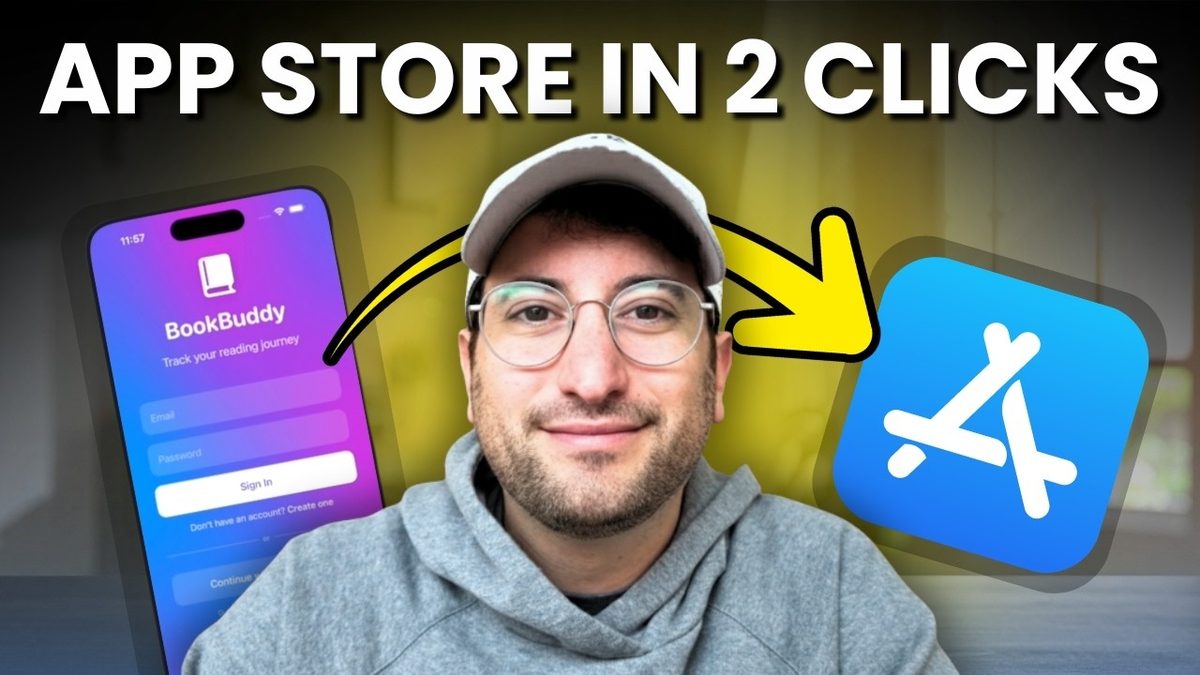
▶ Watch: I Built a Real iPhone App in Minutes — Rork Max Tutorial
Who Is Rork Max Best For?
After testing Rork Max for several projects, here's who I think gets the most value from it:
- Solo founders building Apple-first products — skip the $150k iOS developer hire
- Designers who want to prototype native Apple experiences without code
- Indie app developers who want to ship to the App Store faster
- Agencies that need to deliver native iOS apps for clients on tight timelines
- Hobbyists who want to build Apple Watch or Vision Pro apps for fun (the free tier works great for exploration)
If you're building for Android or need cross-platform support, Rork Max isn't for you — use the original Rork or a web-based tool like Lovable instead.
Related Articles
- Rork AI Review 2026 — Full review of the original Rork
- Rork Pricing Guide — Detailed pricing breakdown for all plans
- Rork vs Lovable — Side-by-side comparison
- Rork Tutorial: Build Your First App — Step-by-step guide
- Best AI Mobile App Builders — Top 4 tools compared
- Best No-Code Mobile App Makers 2026 — Full roundup
Frequently Asked Questions
What is Rork Max?
Rork Max is a native Swift app builder from the Rork team. Unlike the original Rork (which builds React Native apps), Rork Max generates native Swift code and compiles it on a cloud Mac fleet. It supports all Apple platforms including iPhone, iPad, Apple Watch, Apple TV, Vision Pro, and iMessage.
How much does Rork Max cost?
Rork Max costs $200/month on the Max plan. There's also a free tier that gives you approximately 5 prompts per week. You'll still need an Apple Developer Program membership ($99/year) to publish to the App Store.
What's the difference between Rork and Rork Max?
The original Rork builds cross-platform apps using React Native (iOS + Android). Rork Max builds native Swift apps exclusively for Apple platforms. Rork Max offers deeper Apple integration (AR, widgets, HealthKit, etc.) and 2-click App Store publishing without Xcode.
Can Rork Max build Android apps?
No. Rork Max only builds native Swift apps for Apple platforms. If you need Android support, use the original Rork which builds cross-platform apps with React Native for both iOS and Android.
Do I need Xcode to use Rork Max?
No. Rork Max compiles your app on their cloud Mac fleet and handles code signing and provisioning automatically. You can preview, test, and publish to the App Store entirely from your browser — no Xcode download required.
What Apple platforms does Rork Max support?
Rork Max supports iPhone, iPad, Apple Watch, Apple TV, Vision Pro, and iMessage apps. It has access to the full range of native Apple APIs including SwiftUI, ARKit, HealthKit, HomeKit, Core ML, and Metal.
Can I build AR apps with Rork Max?
Yes. Rork Max supports ARKit and LiDAR scanning natively. You can build full augmented reality experiences, 3D object placement, and spatial computing apps for iPhone and Vision Pro.
Is Rork Max worth $200/month?
If you're seriously building native Apple apps, yes. Hiring an iOS developer costs $100-200+ per hour, and the Xcode/publishing workflow alone saves hours per project. For hobbyists or casual builders, the free tier (~5 prompts/week) is a good way to try it first. Check out more mobile app building options with Rork to decide.
Advertiser disclosure: some links on this website are affiliate links, meaning No Code MBA may make a commission if you click through and purchase.