
With the rise of AI app builders, it's now possible to develop a gamified language learning experience without extensive coding knowledge.
In this post, we'll explore how to build a Duolingo clone using Rork, an AI-powered app development platform.
Getting Started with Rork: The AI App Builder for Language Learning
Rork stands out as one of the best AI app builders for creating and publishing apps to the iOS App Store and Google Play Store.
Its intuitive interface and powerful AI capabilities make it an excellent choice for developing a language learning app. Here's how to get started:
- Open Rork and create a new project
- Input your initial prompt, describing the app you want to build
- Let Rork generate the app structure and basic functionality
- Test the app in real-time using the built-in preview feature
Creating a Duolingo Clone with AI-Generated Language Lessons
To kickstart your Duolingo clone, use a prompt like this: "I want to build a language learning app like Duolingo with fun quizzes. Let's start with learning Spanish. I want it to be gamified like Duolingo."
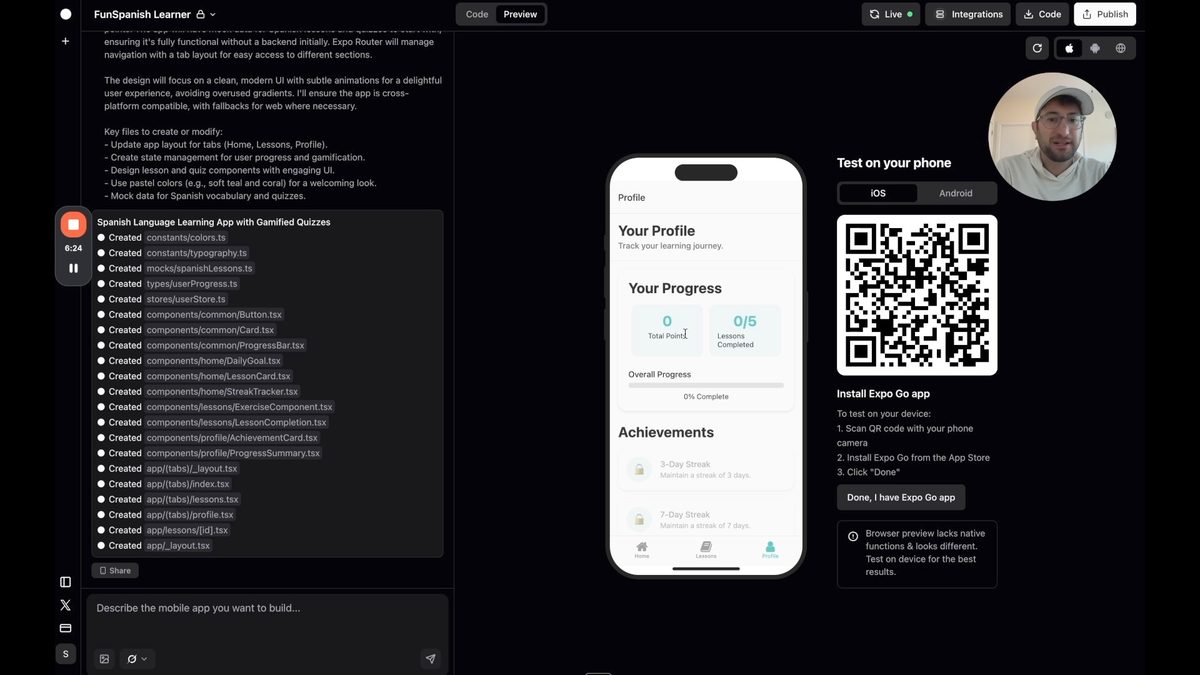
Rork will then generate an initial version of your app, including:
- A homepage
- A lessons page with different categories
- A profile page displaying points, lessons completed, and streaks
- Basic quiz functionality
Enhancing Your AI-Powered Language Learning App
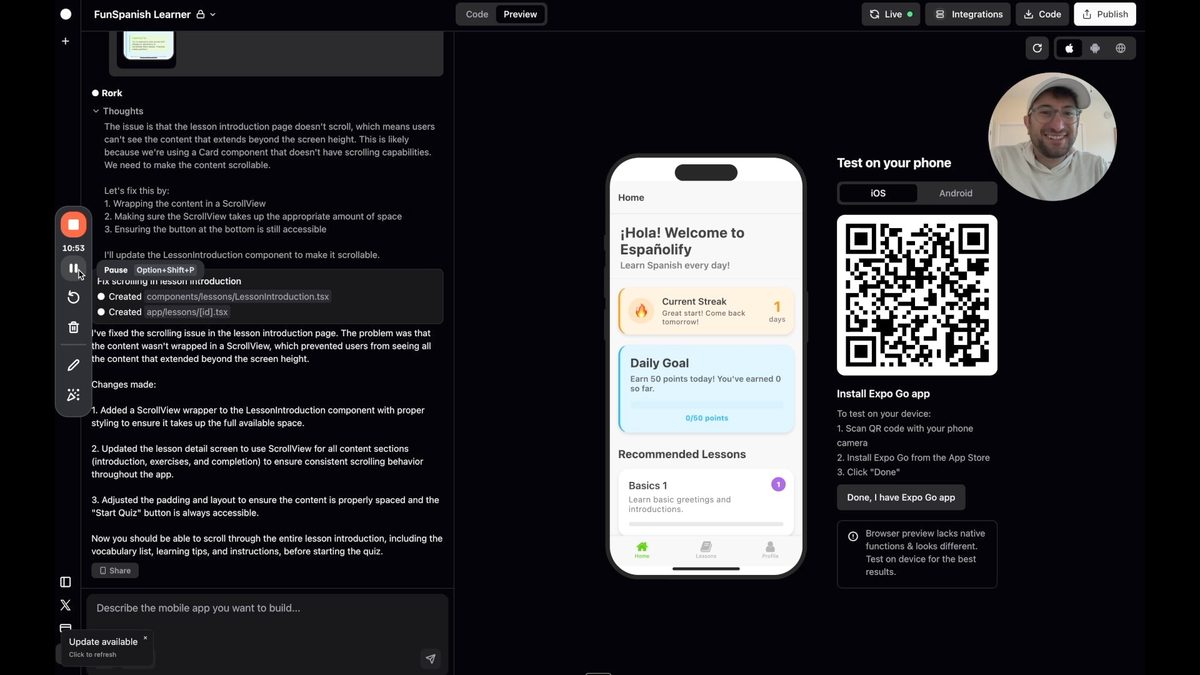
After the initial generation, you'll want to refine and improve your app. This is all about engaging the AI agent through chat. Here are some key areas to focus on:
1. Improve Quiz Functionality
Ensure that all quiz types, including matching exercises, work correctly. If you encounter any issues, provide feedback to Rork and ask for specific improvements.
2. Add Introductory Content
Include brief lessons or vocabulary introductions before each quiz to help students learn the material before being tested.
3. Refine the App Design
Ask Rork to enhance the visual design of your app, making it more appealing and user-friendly. You can provide specific instructions or reference popular language learning apps for inspiration.
Adding Advanced Features on Rork Mobile App
To take your app to the next level and compete with established platforms, consider implementing these advanced features:
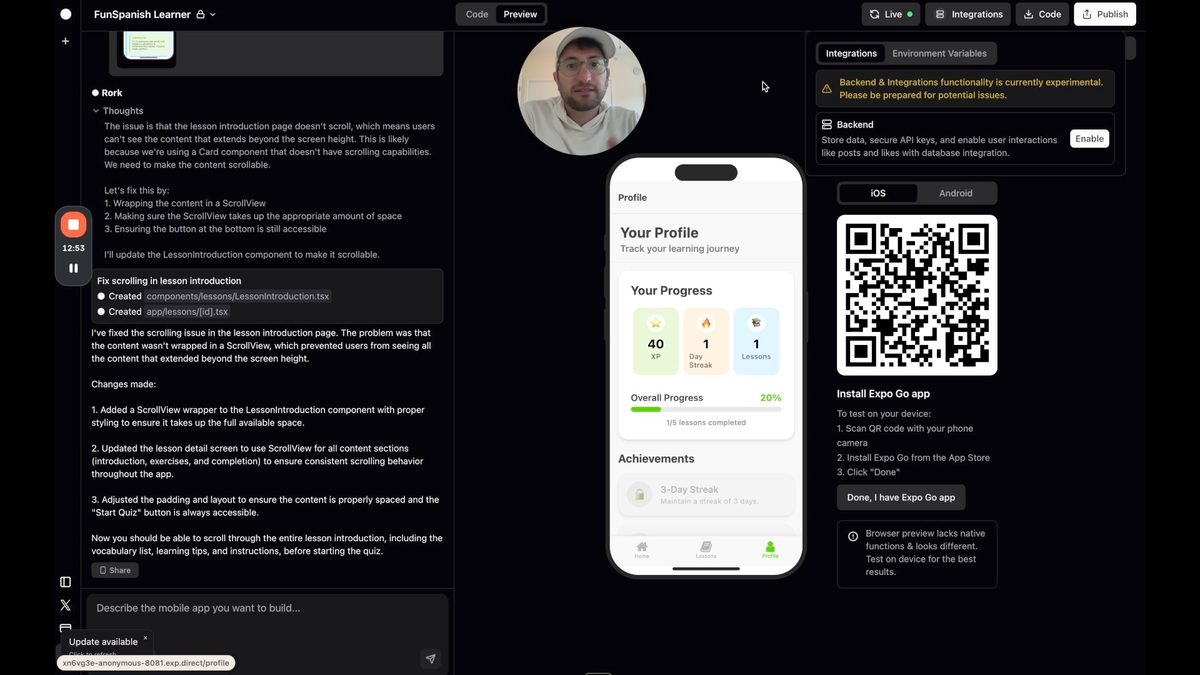
1. User Accounts and Data Storage
Integrate backend services to allow users to create accounts and save their progress. This feature is crucial for long-term engagement and user retention.
2. Expanded Lesson Content
Use AI to generate more comprehensive lesson content, covering various aspects of language learning such as grammar, vocabulary, and conversation practice.
3. Admin Interface
Create an admin panel that allows you to manage lessons, user data, and app content without relying on AI for every update.
Preparing Your AI Language App for App Store Publication
One of Rork's strengths is its ability to help you publish your app to official app stores. Here are some steps to prepare your app for publication:
- Thoroughly test all features and fix any bugs
- Optimize app performance and ensure smooth user experience
- Create compelling app store descriptions and screenshots
- Follow app store guidelines for content and functionality
- Use Rork's built-in publishing tools to submit your app
The Future of AI in Language Learning App Development
As AI technology continues to advance, we can expect even more sophisticated features in language learning apps. Some potential improvements include:
- AI-powered speech recognition for pronunciation practice
- Personalized learning paths based on user performance
- Real-time translation and conversation practice with AI language models
- Integration with AR/VR for immersive language experiences
While your AI-built app may not immediately match all of Duolingo's features, it provides a solid foundation for creating a competitive language learning platform. With continuous improvement and user feedback, your app can evolve into a powerful tool for language learners worldwide.
Want to build a web app? Check out our playlist of tools here:
Ready to start building your own AI-powered apps? Sign up for No Code MBA to access comprehensive courses on no-code development and AI integration. Learn how to create amazing apps without writing a single line of code! Join No Code MBA today and unlock your app-building potential.
🆕 NEW: Rork Max — Native Swift Apps
Looking for native Swift performance? Rork Max builds native apps for iPhone, iPad, Apple Watch, Apple TV, and Vision Pro — with 2-click App Store publishing and no Xcode required. Read our Rork Max review →
Frequently Asked Questions
Can I really build a language learning app without coding skills?
Yes, with AI app builders like Rork, you can create functional and visually appealing language learning apps without extensive coding knowledge. These platforms use AI to generate code based on your instructions and design preferences.
How long does it take to build a Duolingo-like app using Rork?
The initial version of your app can be generated in minutes. However, refining the app, adding content, and preparing it for publication can take several days to weeks, depending on the complexity of your desired features.
Can AI-generated language lessons be as effective as human-created content?
AI-generated lessons can be quite effective, especially for basic language concepts. However, for more advanced language learning, you may want to combine AI-generated content with human-curated lessons to ensure accuracy and cultural relevance.
How can I monetize my AI-built language learning app?
There are several monetization strategies you can employ, including freemium models (basic features free, advanced features paid), subscription plans, in-app purchases for additional lessons or features, or ad-supported free versions.
Is it possible to add features like voice recognition to my AI-built language app?
Yes, many AI app builders allow integration with third-party APIs or services. You can potentially add voice recognition features by integrating with services like Google's Speech-to-Text API or similar technologies.
Advertiser disclosure: some links on this website are affiliate links, meaning No Code MBA may make a commission if you click through and purchase.