
Cursor, the AI code editor, offers specific advantages for app development that many developers - both new and experienced - haven't fully explored.
This article examines five concrete tips to enhance your workflow with Cursor, covering model selection strategies, GitHub workflow integration, and practical authentication implementation.
Watch the video and read the article and then, implement these tips today.
By implementing these tips and strategies, you'll be well on your way to building efficient and innovative apps with Cursor. The combination of AI assistance and your development skills can lead to faster development cycles and more creative solutions.
Tip 1: Leverage Existing GitHub Repositories
You don't have to start every project with Cursor from scratch. Instead, take advantage of public open-source GitHub repositories as your foundation:
- Find relevant repositories like Google's Gemini example chat app
- Follow the installation instructions to clone and set up in Cursor
- Build upon existing functionality rather than coding everything yourself
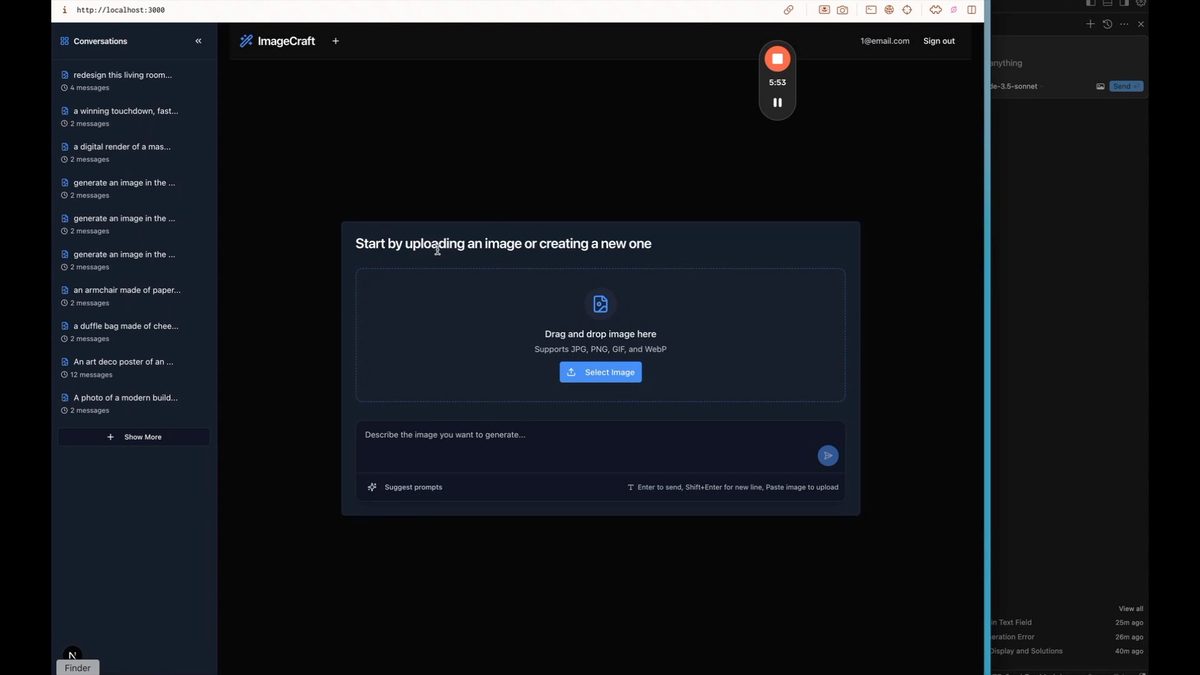
For example, if you're building an image generation app with Google's Gemini model, starting with their example repository gives you immediate access to the basic API integration, saving hours of setup time.
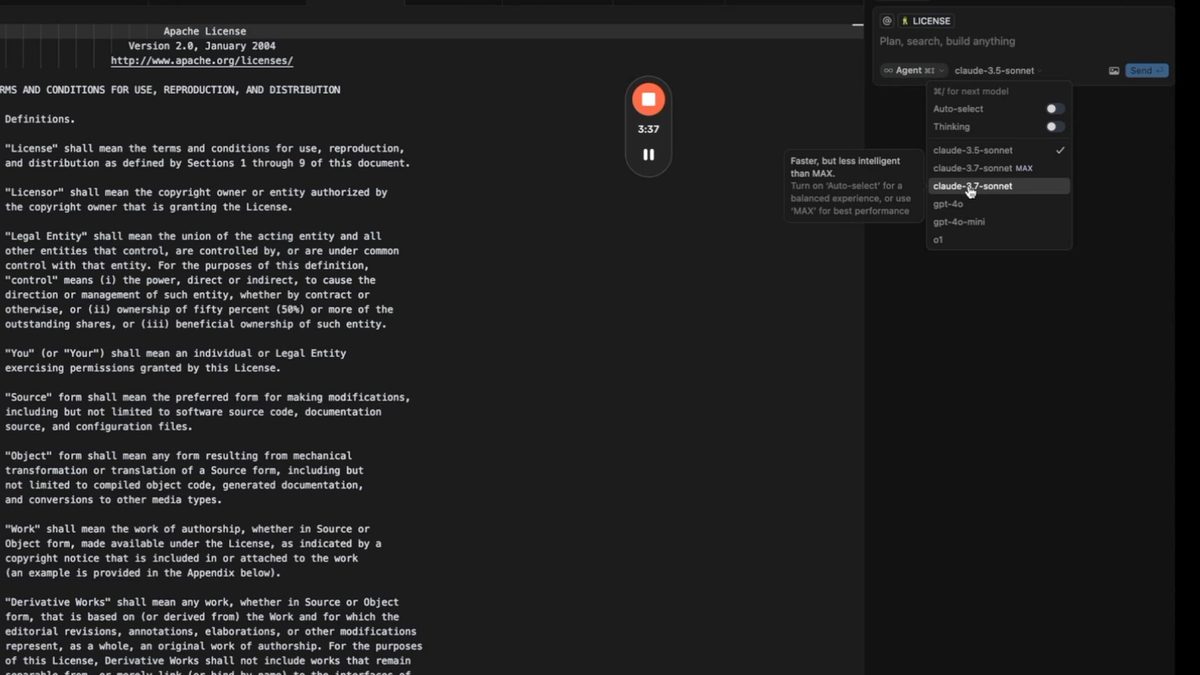
Tip 2: Use Claude 3.7 Sonnet Max for Stubborn Bugs
Cursor recently released an upgraded model that can help when you're stuck:
- Select "Agent" and choose "Claude 3.7 Sonnet Max"
- Be aware it costs 5 cents per request and per tool use (approximately 30 cents per complex message)
- This model brings more context from your codebase into the prompt
- About 70% of previously unsolvable bugs can be resolved with Max
The additional context allows the AI to better understand your entire project, leading to more accurate solutions when standard models fall short.
Tip 3: Enable "Thinking" Mode for Design Tasks
When asking Cursor to help with design elements:
- Use Claude 3.7 with thinking turned on for design-related requests
- Be specific in your prompts by clearly stating your design needs
- Include this phrase: "Do not make any functional changes, only change the specified design requests"
This approach prevents the AI from modifying your app's functionality while focusing solely on the requested design improvements.
Tip 4: Include Screenshots When Troubleshooting
Visual context dramatically improves Cursor's ability to help:
- Take screenshots of any issues or bugs you encounter
- Paste the images directly into your message to Cursor
- If possible, show both the problem state and the desired outcome
- Describe the issue alongside the visual reference
Providing visual information gives the AI more context to work with, resulting in more precise solutions tailored to your specific situation.
Tip 5: Integrate Supabase for Authentication and Database Needs
For adding login/logout functionality and database capabilities:
- Ask Cursor to help set up Supabase integration
- It will create the necessary environment files for API keys
- If you encounter connection issues, use the migrations approach:Go to the migrations tab in CursorCopy the generated SQL queriesPaste them into Supabase's SQL editorRun the queries to create your tablesReturn to Cursor and continue development
- Go to the migrations tab in Cursor
- Copy the generated SQL queries
- Paste them into Supabase's SQL editor
- Run the queries to create your tables
- Return to Cursor and continue development
While other backends like Firebase are available, Supabase provides a straightforward integration path with Cursor.
Bonus Tip 1: Utilize Ask Mode for Questions
Don't forget about Cursor's dedicated question-answering capabilities. You can use Ask mode when you need to ask Cursor something without it changing code.
- Specify "only answer the question, do not code" for clarification
- Ask about your codebase, general coding concepts, or technical procedures
- The Agent will search your codebase to provide context-aware answers
This feature is particularly helpful if you don't come from a highly technical background and need explanations about coding concepts or your specific project.
Bonus Tip 2: Simplify GitHub Operations
Cursor can handle your GitHub workflow directly and you can ask Cursor for help with specific GitHub operations. You can:
- Execute terminal commands directly from the chat interface
- Use the built-in terminal (accessible from the top menu) for more complex operations
This eliminates the need to remember specific Git commands and streamlines your version control process.
These five tips - plus the bonus ones - will help you become a pro user of Cursor.
Know that there are other AI code editors available. Compare Cursor to Windsurf here.
Ready to take your app development skills to the next level? Sign up for No Code MBA and access our comprehensive courses on various no-code tools and app development strategies. Join No Code MBA today and start building amazing apps with ease!
Frequently Asked Questions
What is Cursor AI?
Cursor AI is a powerful tool that combines artificial intelligence with traditional coding practices to streamline app development. It offers various models and features to assist developers in writing code, solving bugs, and improving overall efficiency.
How does Cursor AI integrate with GitHub?
Cursor AI allows you to commit changes directly to GitHub without leaving the platform. You can run terminal commands within Cursor, making it easy to manage your version control and collaborate with team members.
What are the benefits of using Supabase with Cursor AI?
Supabase integration with Cursor AI simplifies the process of adding authentication and database functionality to your apps. It provides easy setup for user authentication and allows for efficient database management, including the generation of SQL migrations.
How can I get the most out of Cursor AI's different models?
To maximize the benefits of Cursor AI's models, use the Claude 3.7 Sonnet Max model for complex bug-solving and the other with thinking mode for design-related tasks. Be specific in your prompts and clearly state your requirements to get the best results.
Is Cursor AI suitable for developers with limited technical background?
Yes, Cursor AI can be beneficial for developers with limited technical experience. Its ask mode allows you to ask questions about your codebase or general coding concepts without making changes to your code, providing explanations and insights to help you learn and improve your skills.
Advertiser disclosure: some links on this website are affiliate links, meaning No Code MBA may make a commission if you click through and purchase.