
Building apps with Lovable can be a game-changer for entrepreneurs and developers alike.
This powerful vibe coding platform allows you to create functional websites and applications simply by describing what you want.
But how exactly do you harness the full potential of Lovable to build impressive apps?
In this comprehensive guide, we'll walk you through the process step-by-step, sharing insider tips and best practices along the way.
Step 1: Prepare Your Lovable Project with Detailed Planning
Before diving into Lovable, it's crucial to have a well-thought-out plan. Here's how to get started:
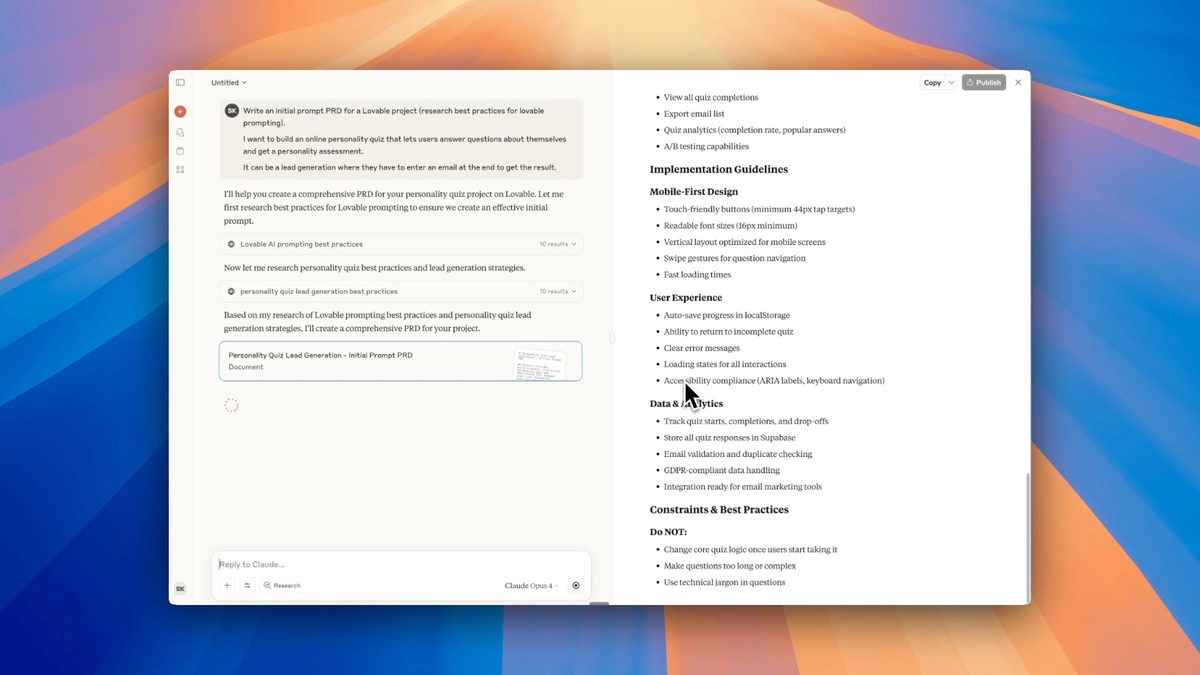
- Use ChatGPT or Claude to create a detailed Product Requirements Document (PRD)
- Research best practices for Lovable prompting
- Write effective prompts that clearly describe your desired app
By investing time in thorough planning, you'll set yourself up for success when you start building in Lovable.
Step 2: Building Your App with Lovable
Now that you have your plan in place, it's time to start building your app. Follow these steps:
Enter Your Initial Prompt
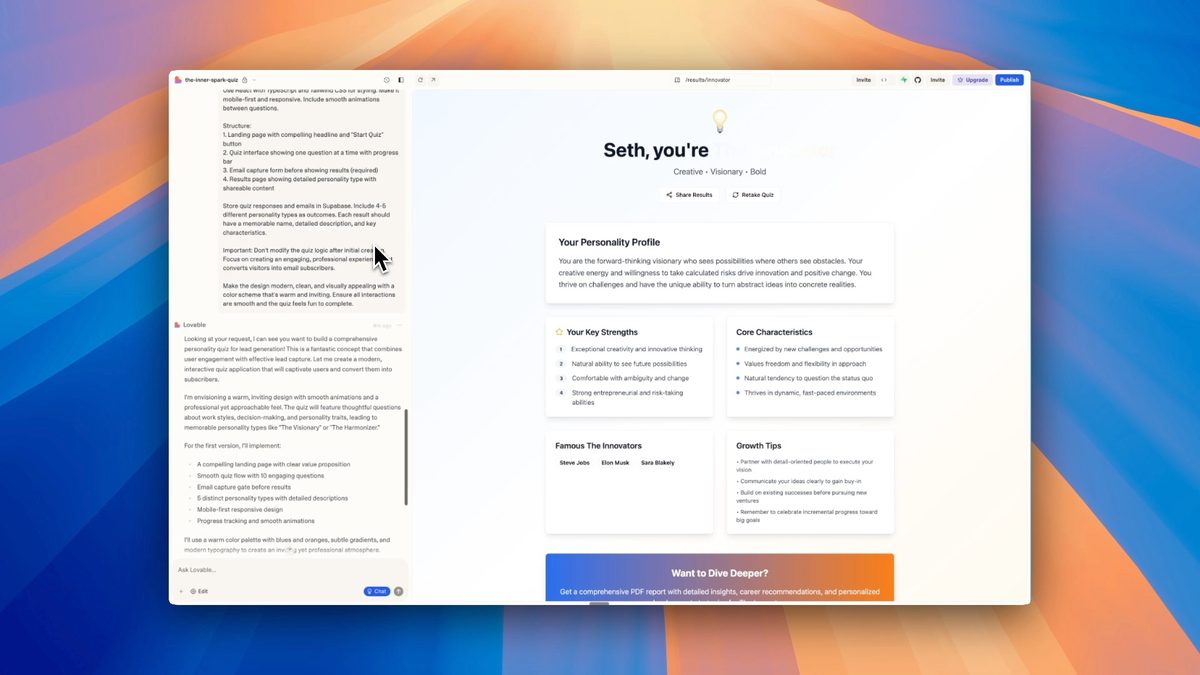
Paste your well-crafted prompt into Lovable's interface. The AI will generate an initial version of your app based on this description.
Review and Test the Generated App
Carefully examine the app Lovable has created. Test its functionality and make note of any areas that need improvement.
Use Chat Functionality for Improvements
Leverage Lovable's chat feature to understand how the app works and request improvements. This iterative process helps refine your app.
Step 3: Enhance Your App with Supabase Integration
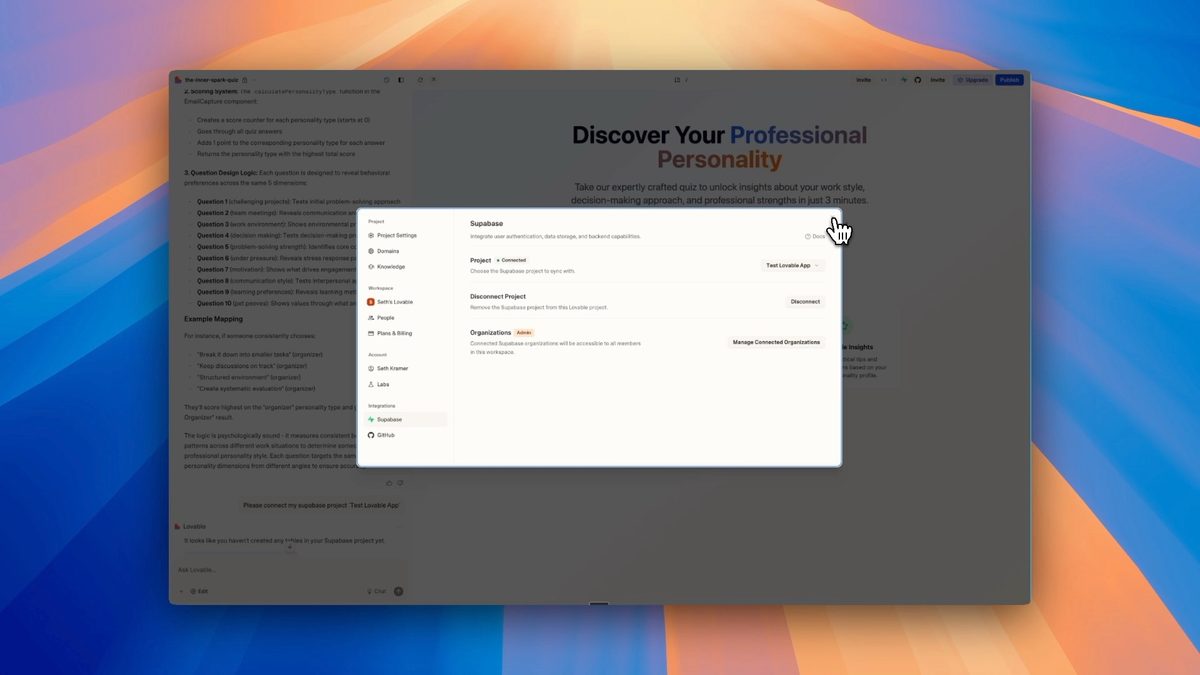
To add powerful features like user authentication and database management, integrate Supabase with your Lovable project:
- Connect your Superbase account to Lovable
- Set up user authentication
- Create and manage database tables
This integration allows you to build more complex and feature-rich applications.
Step 4: Customize Your App Using the Code Editor
The next stage is to take the app you currently have and build on top of it or refine it.
For fine-tuning and advanced customization, use Lovable's built-in code editor:
- Access the code editor from the top menu
- Make direct changes to your app's code
- Save or discard changes as needed
This feature gives you more control over your app's functionality and appearance and you can do this using natural language and letting the AI agent do the work.
Step 5: Deploy and Secure Your Lovable App
Once your app is ready, it's time to deploy and ensure its security:
Publishing Options
- Use Lovable subdomains for quick deployment
- Add a custom domain for a more professional look
GitHub Integration for Advanced Deployment
- Sync your Lovable project with GitHub
- Use hosting platforms like Netlify or Vercel for deployment
Implement Security Best Practices
- Address Superbase security warnings
- Secure API keys and sensitive information
- Use edge functions and secrets for additional security
Watch this video to learn how we integrate Lovable with Github and also with Cursor:
Advanced Lovable Features for AI-Powered Web Development
Take your app development to the next level with these advanced Lovable features:
Collaborative Development
Invite team members to collaborate on your project, fostering a more efficient development process.
"Edit" Feature for No-Code Adjustments
Use the "Edit" feature to make visual changes to your app without coding, similar to platforms like Squarespace.
Lovable Knowledge Settings
Customize Lovable's knowledge settings to maintain consistent coding styles and improve project edits.
Project Settings Customization
Fine-tune your project settings, including removing Lovable branding for a more professional look.
Tips for Maximizing Your Lovable App Development Experience
- Always start with a detailed plan before entering Lovable
- Use the chat functionality to understand and improve your app
- Leverage Superbase integration for enhanced features
- Customize your app using the code editor when needed
- Implement security best practices before deployment
- Explore advanced features like collaborative development and knowledge settings
By following these steps and tips, you'll be well on your way to creating impressive apps with Lovable. Remember, the key to success is thorough planning, iterative improvement, and leveraging the platform's powerful features.
Ready to take your app development skills to the next level?
Sign up for No Code MBA and access our comprehensive courses on no-code tools and app development techniques.
Frequently Asked Questions
What is Lovable?
Lovable is a vibe coding platform that allows users to create functional websites and applications by describing what they want in natural language. It uses artificial intelligence to generate code based on user prompts.
Do I need coding experience to use Lovable?
No, you don't need coding experience to use Lovable. The platform is designed to generate code based on your descriptions. However, having some coding knowledge can be helpful for customizing and fine-tuning your app.
Can I integrate databases with my Lovable app?
Yes, you can integrate databases with your Lovable app using Superbase. This integration allows you to add features like user authentication and database management to your application.
How do I deploy my Lovable app?
You can deploy your Lovable app using Lovable subdomains, adding a custom domain, or by syncing with GitHub and using hosting platforms like Netlify or Vercel.
Is it possible to collaborate with others on a Lovable project?
Yes, Lovable offers collaborative development features. You can invite team members to work on your project together, making it easier to manage larger projects.
How can I ensure the security of my Lovable app?
To ensure the security of your Lovable app, address Supabase security warnings, secure API keys and sensitive information, and use edge functions and secrets for additional security measures. For more information on securing your app, check out this guide on building secure applications using Lovable.
Can I customize the code generated by Lovable?
Yes, Lovable provides a built-in code editor that allows you to make direct changes to your app's code. This gives you more control over your app's functionality and appearance.
What are Lovable knowledge settings?
Lovable knowledge settings allow you to customize the AI's understanding of your project. You can use these settings to maintain consistent coding styles and improve project edits.
Is it possible to remove Lovable branding from my app?
Yes, you can remove Lovable branding from your app by adjusting the project settings. This option is available for users with upgraded accounts.
How does Lovable compare to other no-code platforms?
Lovable stands out from other no-code platforms by using AI to generate code based on natural language descriptions. This allows for more flexibility and customization compared to traditional drag-and-drop builders, while still maintaining ease of use for non-developers. To explore other no-code options, you might want to check out our guide on Bubble alternatives.
Advertiser disclosure: some links on this website are affiliate links, meaning No Code MBA may make a commission if you click through and purchase.